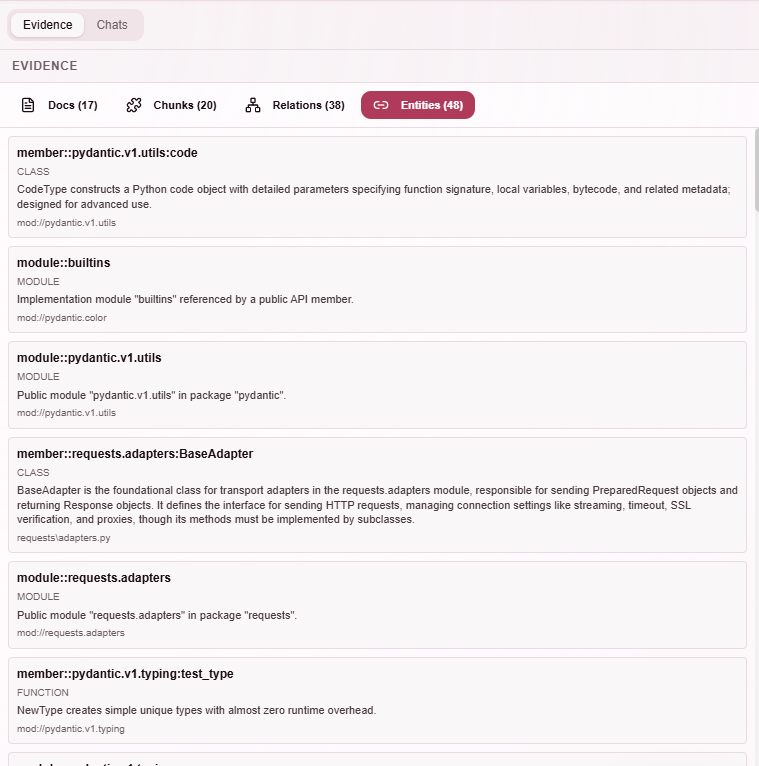
Chat Evidence
The Evidence tab shows what the system retrieved for a specific message, so you can inspect exactly what data was used to generate an answer.
This allows you to understand why the model gave a particular response.
Last updated: April 4, 2026
Prerequisites
- You must have sent at least one question in your current chat.
The Evidence tab
When you select a different message in the chat, the Evidence tab updates to show the data used for that specific step.
This makes it possible to inspect how retrieval changes across a conversation. You can switch between Docs, Chunks, Relations, and Entities.
Docs view
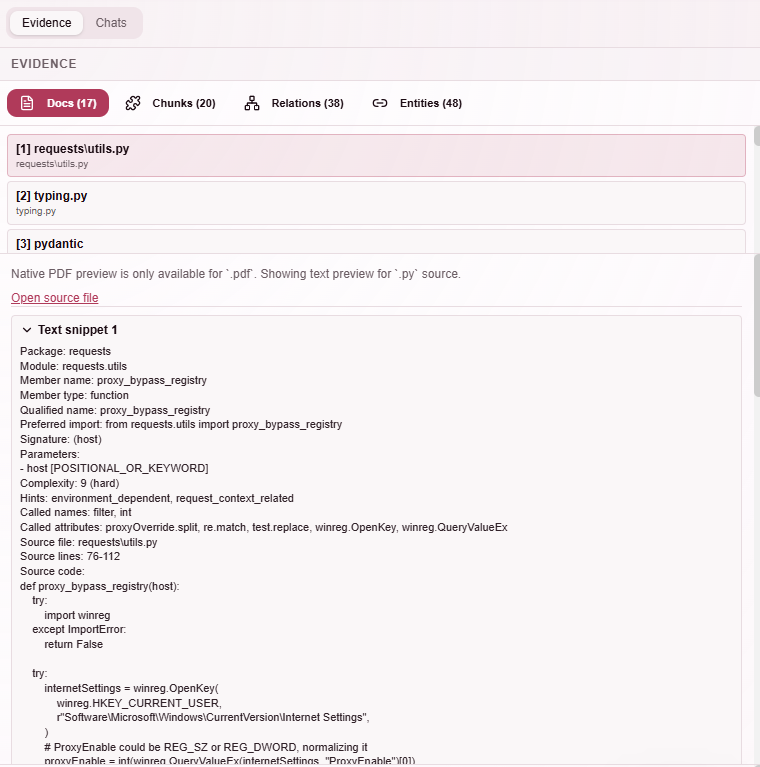
The Docs tab shows the original source files that contributed to the answer, along with previews of the relevant sections.
Chunks view
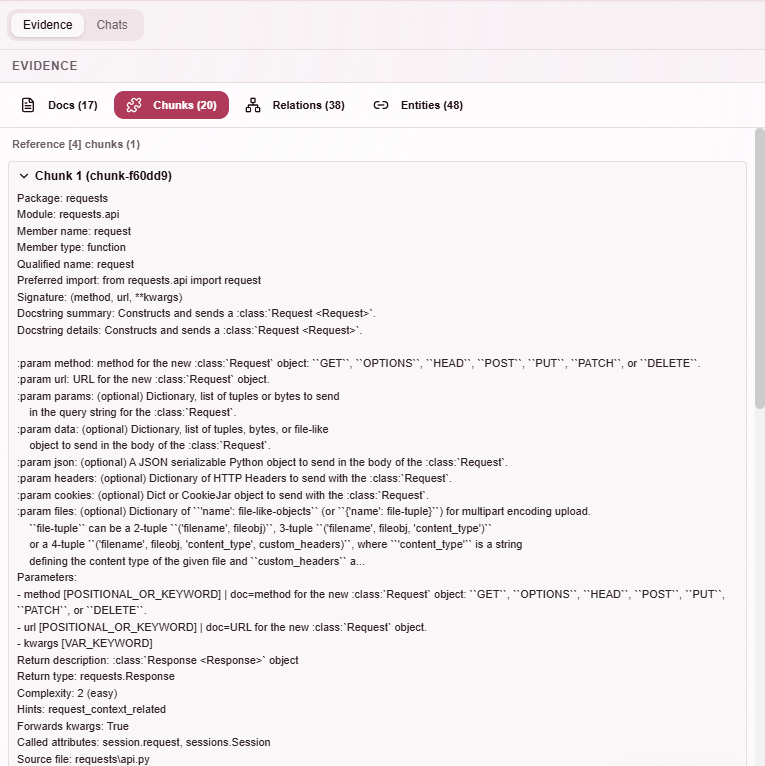
The Chunks tab shows the exact pieces of text that were retrieved and passed to the model as context.
Relations view
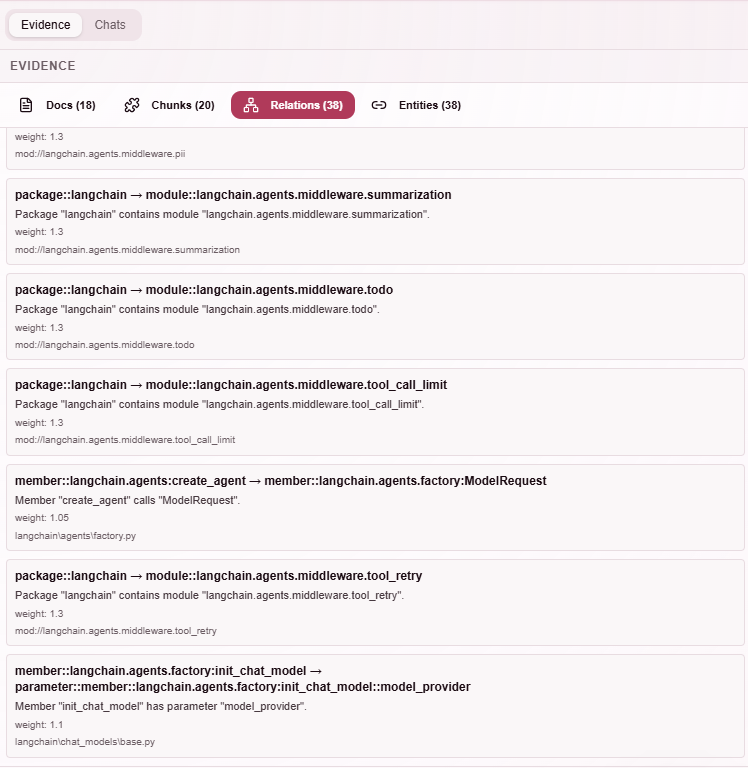
The Relations tab shows how entities are connected in the graph and which relationships were explored during retrieval.
Entities view
The Entities tab lists the entities that were identified and used during retrieval.