Export Knowledge Graph
This guide explains how to export your knowledge graph from Retriqs so it can be shared or reused elsewhere.
Last updated: April 4, 2026
Prerequisites
- You have access to the Retriqs application
- You have an existing knowledge graph
(If not, follow the graph creation guide first)
{video}
Exporting Your Storage
Follow these steps to export your knowledge graph:
- Open the Retriqs application.
- Select your tenant using the tenant selector.
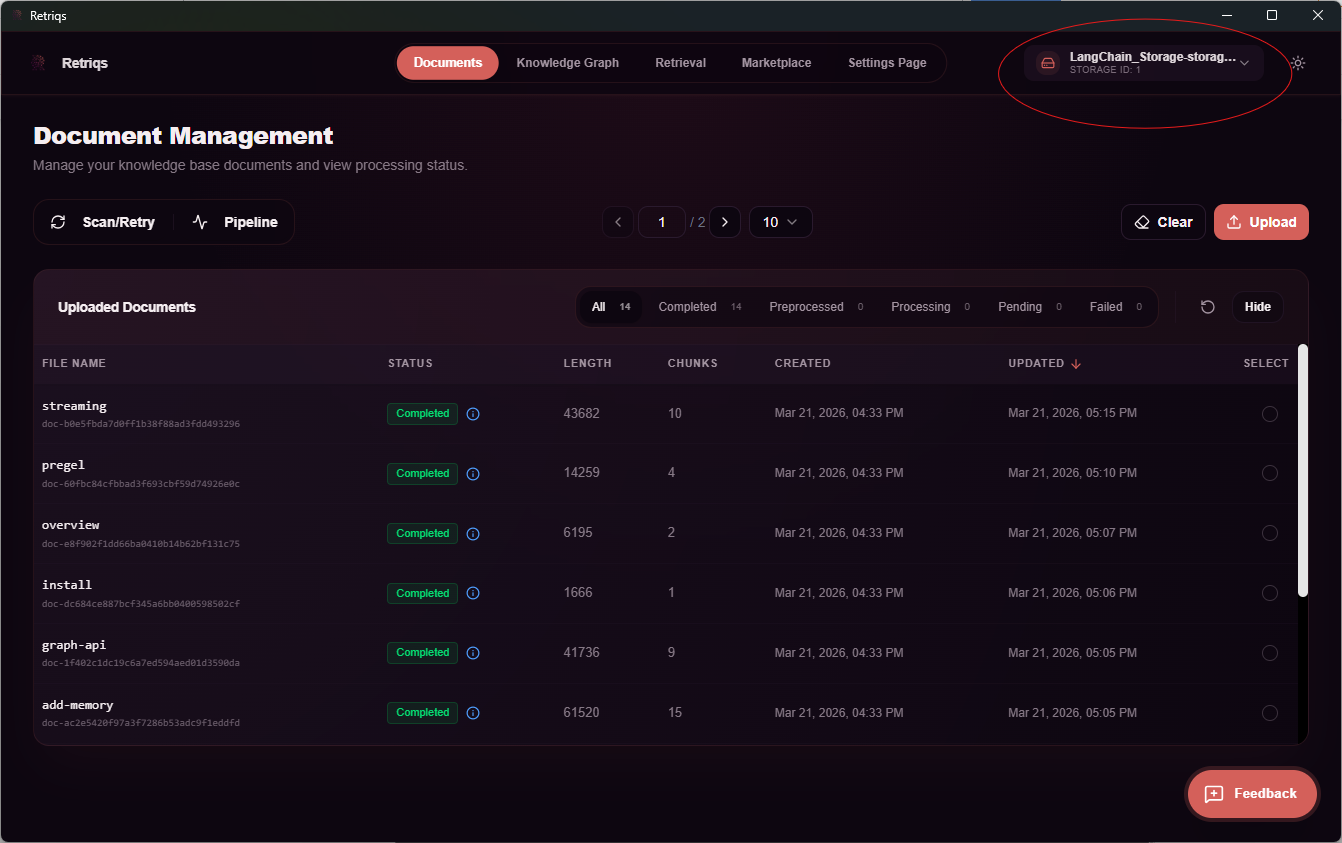
- Navigate to the Settings page.
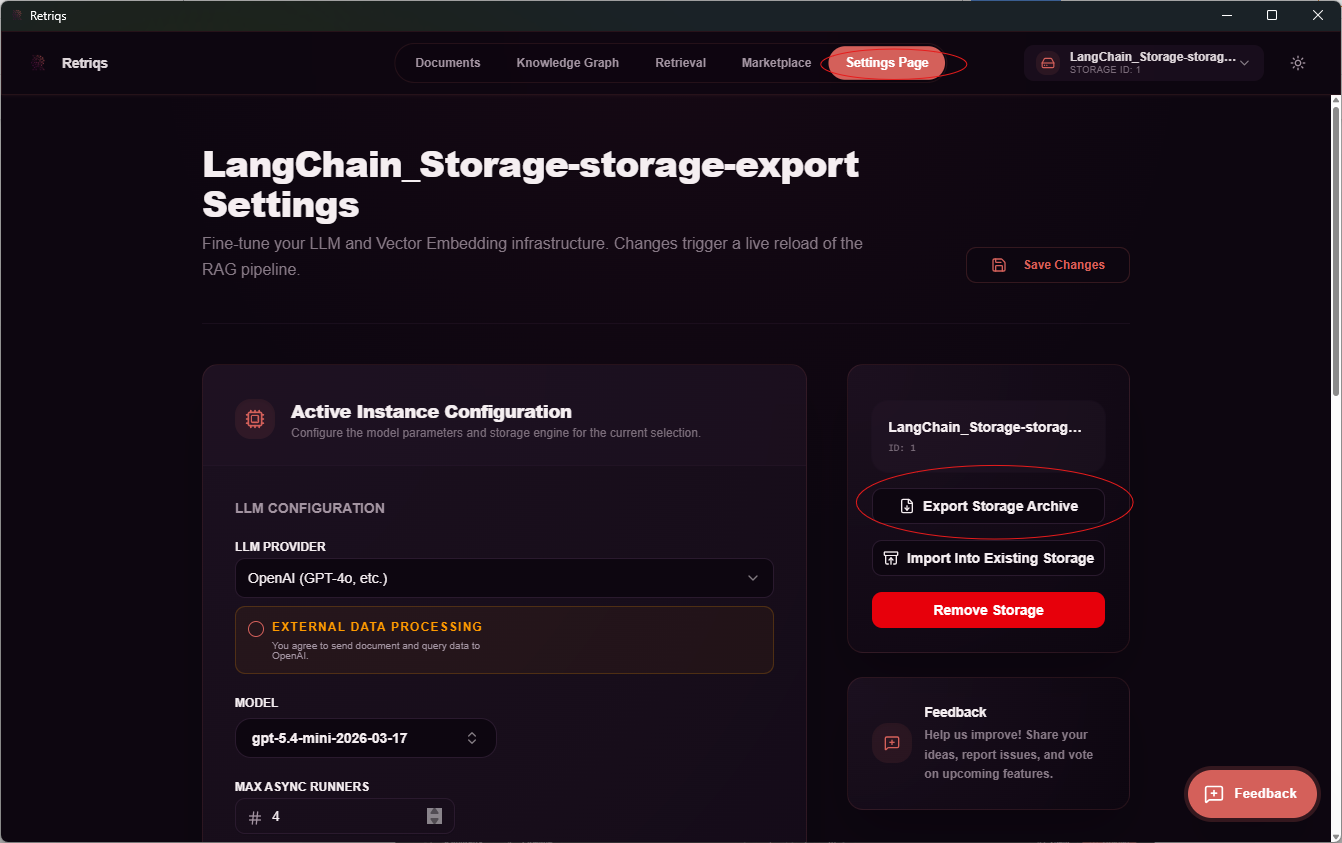
- On the right side of the page, click the Export Storage button.
- Choose a location to save the export file.
- If no location is selected, check your default Downloads folder.
Once completed, your storage is exported as an archive file.
You can now share this file with others, allowing them to import and use your knowledge graph.
Additional Notes
- The exported file contains all necessary data to recreate the graph.
- Ensure you store the file securely if it contains sensitive information.